
In today’s fast-paced medical landscape, efficient documentation is critical—not only for compliance but for maintaining quality patient care. Yet, countless healthcare professionals struggle with the time-consuming task of typing notes and entering data into Electronic Health Records (EHRs). That’s where medical dictation tools come in.
Whether you’re a physician, nurse practitioner, or medical scribe, using dictation software can significantly reduce your documentation time, improve accuracy, and help prevent burnout.
But with so many tools available, how do you know which one is right for your practice? In this beginner’s guide, we’ll walk you through what to look for and how to choose the best medical dictation software for your needs. Here you can get the list of the top 5 best medical dictation software, which you can choose according to your needs.
What Is Medical Dictation Software?
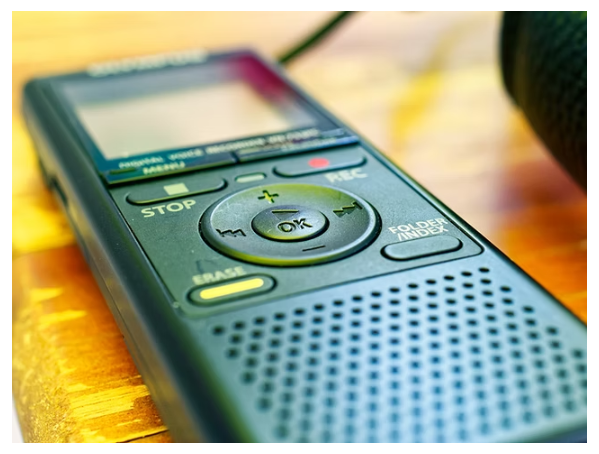
Medical dictation software is a speech-to-text tool that converts spoken medical notes into written documentation. It allows clinicians to speak naturally, while the software transcribes their words into structured medical records—often in real-time.
These tools are designed to recognize medical terminology, abbreviations, and diagnostic language, making them ideal for healthcare environments.
Why Use Medical Dictation Tools?
-
⏱ Saves Time: Dictation is 3–5x faster than typing.
-
😌 Reduces Burnout: Less time documenting, more time for patient care.
-
📋 Improves Accuracy: Reduces typos and EHR errors.
-
📱 Mobile-Friendly: Dictate from anywhere—clinic, hospital, or home.
Key Features to Look For
Choosing the right tool depends on your specific workflow. Here are the features you should prioritize:
1. Medical Vocabulary Support
Look for software trained on medical terminology, including anatomy, drug names, and procedures. General dictation tools often fall short here.
2. Speech Recognition Accuracy
High accuracy is critical. The best tools use AI and machine learning to adapt to your voice, accent, and speaking style.
3. EHR Integration
Choose a tool that works seamlessly with your EHR system (e.g., Epic, Cerner, Allscripts). Some tools even auto-fill data into templates and fields.
4. Voice Commands
The ability to use commands for formatting, navigation, or inserting macros can speed up the process dramatically.
5. HIPAA Compliance
Ensure the software follows strict data security and privacy standards, especially if it stores or transmits patient information.
6. Device Compatibility
Many clinicians work across multiple devices. A good tool should support desktop, mobile, and tablet use, ideally with cloud syncing.
7. Offline Access
If you work in environments with unreliable internet, offline dictation functionality is a must.
How to Evaluate a Tool Before Buying
Here are some steps to test and validate before committing:
-
✅ Try Free Trials or Demos
-
✅ Check for Real User Reviews
-
✅ Test in Your Own Clinical Environment
-
✅ Ensure Compatibility with Your EHR
-
✅ Confirm Customer Support Availability
Common Pitfalls to Avoid
-
🚫 Choosing general-purpose dictation tools (they often lack medical vocabulary)
-
🚫 Underestimating the learning curve (especially with voice commands or EHR integration)
-
🚫 Not checking for hidden fees (like transcription limits or storage costs)
Conclusion
Choosing the right medical dictation tool isn’t just about convenience—it’s about improving clinical efficiency, reducing stress, and ensuring high-quality documentation. By focusing on features like medical vocabulary, EHR integration, and security, you can find a tool that fits your practice perfectly.
Whether you’re just starting your medical career or are a seasoned practitioner looking to modernize your workflow, the right dictation software can transform the way you practice medicine.